Aftershoot
AI culling, editing, and retouching for photographers that runs fully offline.
About
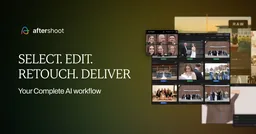
Aftershoot is an AI-powered post-production platform for photographers that automates culling, editing, and retouching in one app. Its AI culling analyzes sharpness, expressions, open eyes, duplicates, and pose variation across a shoot and selects the best frames, while the editing module trains a Personal AI Profile from your own previously edited RAW files to apply your style consistently. A retouching module added in 2025 handles skin, blemishes, stray hairs, and teeth whitening.
The company reports 188,000 active photographers processed 8.8 billion images in 2025, saving an estimated 89 million hours of desk work. A notable differentiator is that the core workflow runs fully offline on Windows or macOS with no cloud upload required, which suits traveling wedding and event photographers. Pricing is flat monthly or yearly rather than per image, starting around $7.99/month for unlimited culling, editing, and retouching on sale pricing. Training the personal editing profile takes some upfront effort before results match your style.
What it can do
- AI culling that ranks frames by 30+ quality factors
- Personal AI editing profiles trained on your style
- AI retouching for skin, hair, and blemishes
- Fully offline workflow with no cloud upload
- Free built-in RAW editing with masking controls
Setup
Download the desktop app for Windows or macOS; import a shoot and run AI culling.
Prerequisites
Windows or macOS computer with at least 8GB RAM; RAW or JPEG shoots.
Use cases
Works with
Trust score — 8/10
Scored 8/10 (verified tier, metrics-v1). Evidence: Verified via vendor site/docs/GitHub and reputable coverage, wave 75; Trending score 80/100 from researcher assessment.
Sources
Every fact above was checked against these sources. Where a claim comes from the provider and couldn't be independently verified, the text says so.